Filecheck now runs on Odoo. The Filecheck Print File Preflight module is live on the Odoo Apps Store for Odoo 18 and Odoo 17, and it is free.
Why this matters on Odoo
In August, Print.App came to Odoo for customers who design their product in the browser. Plenty of customers don’t. They already have a print file, made by their own designer, and they want to upload it and order.
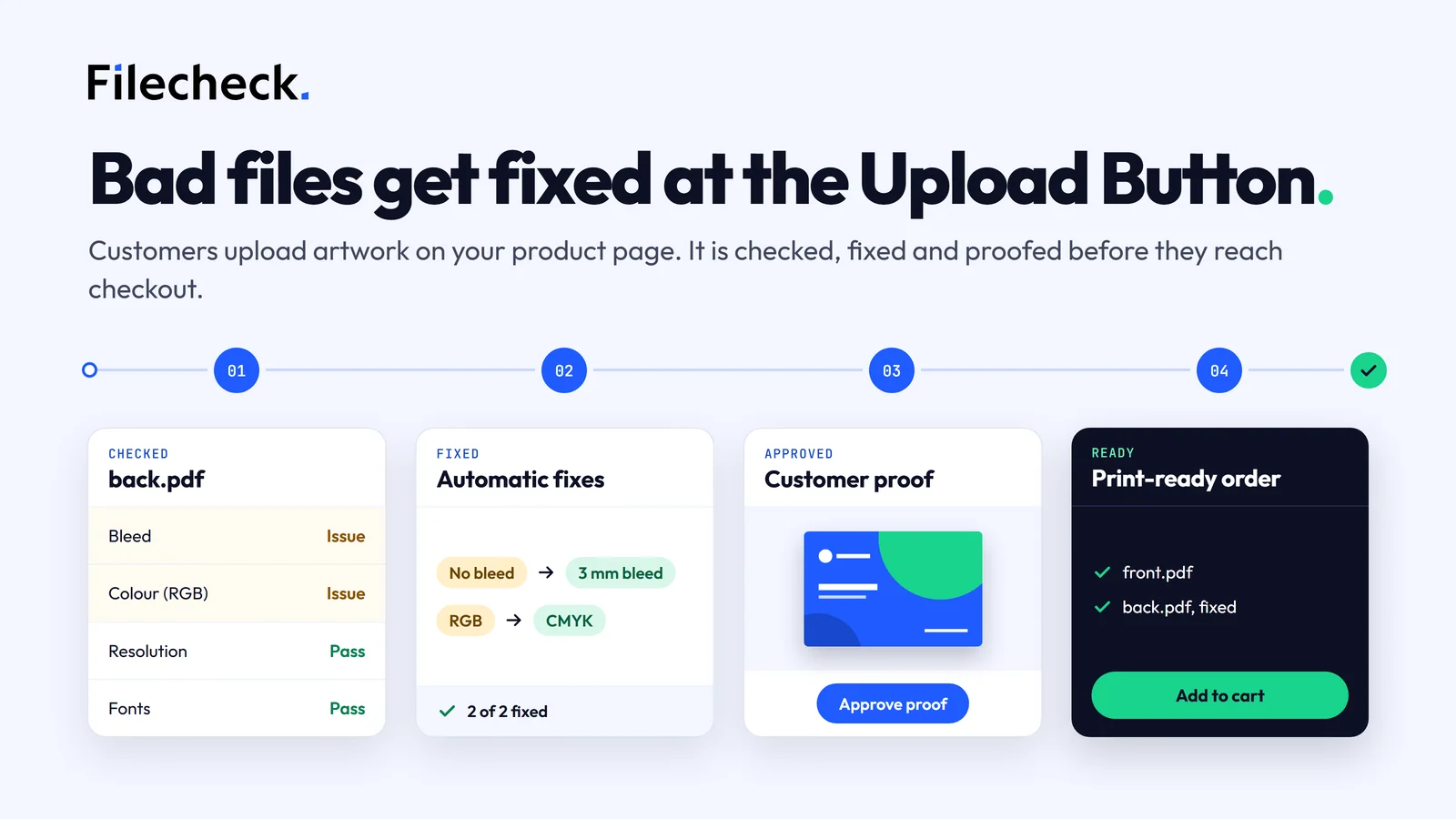
On most Odoo shops that file still arrives by email. Someone opens it, finds the missing bleed or the RGB colours, writes back, and waits. Filecheck moves that work to the product page, before the order is placed.
What the module does
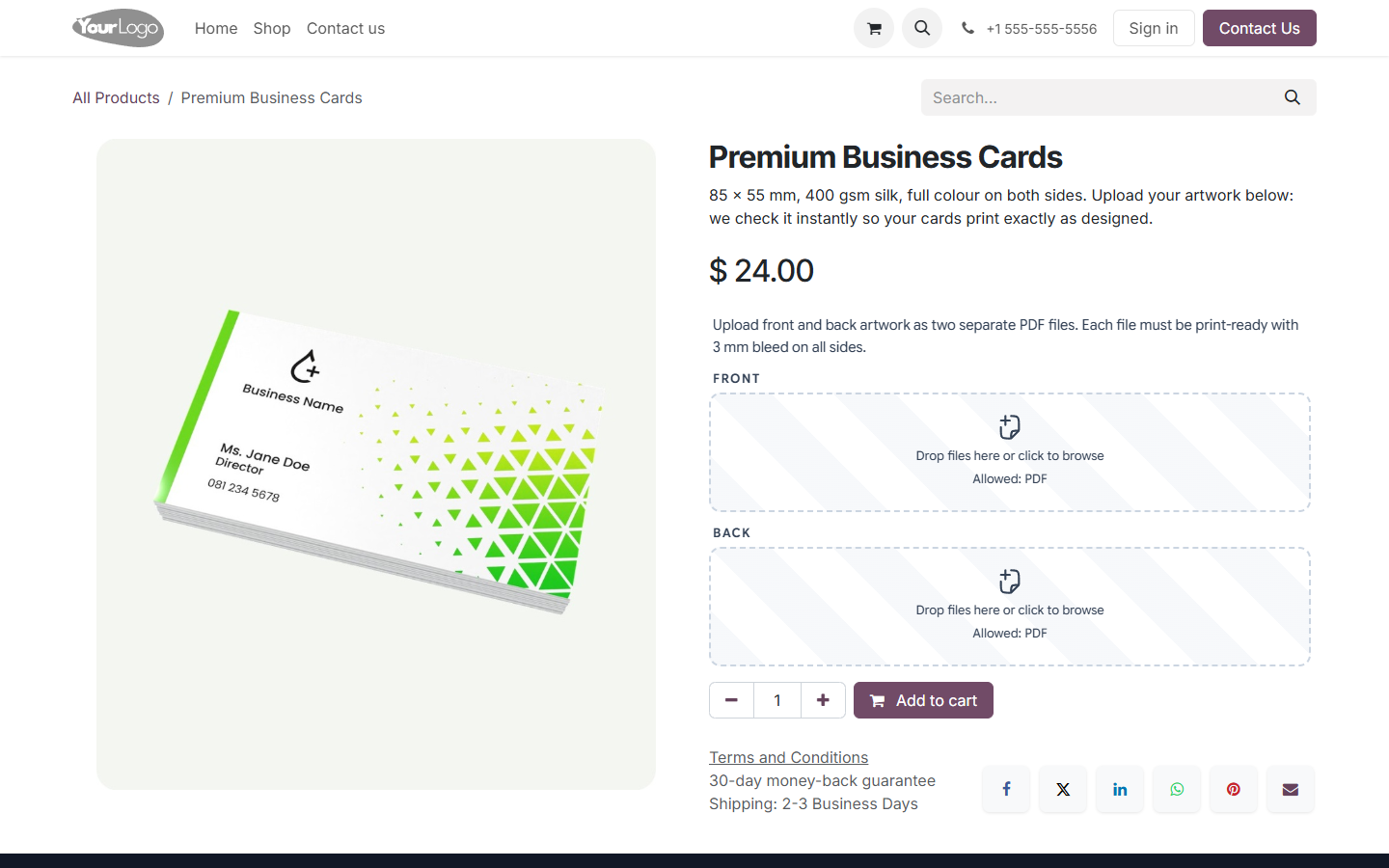
- An upload box on your product pages. Customers upload their artwork, and Filecheck checks it against the product’s workflow and fixes what it can. Add to Cart unlocks once the file is ready.
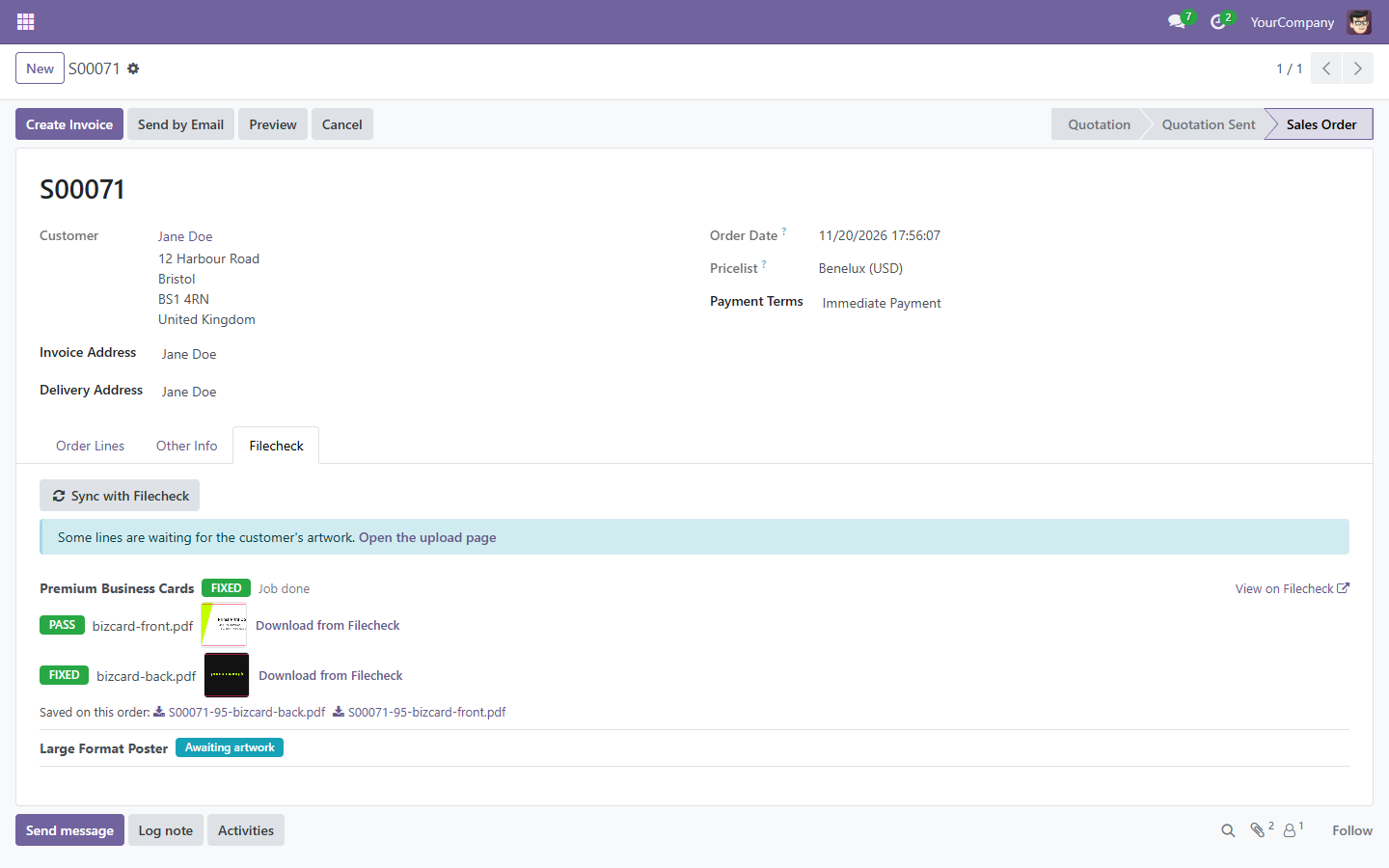
- The file follows the order. The checked file stays with its cart line and lands on the sale order, one line per uploaded file.
- Print-ready files on the sale order. Once Filecheck is done, the print-ready files are saved on the order in your Odoo backend, next to everything else about the job. A Filecheck tab on each order shows every line’s status, proofs and downloads.
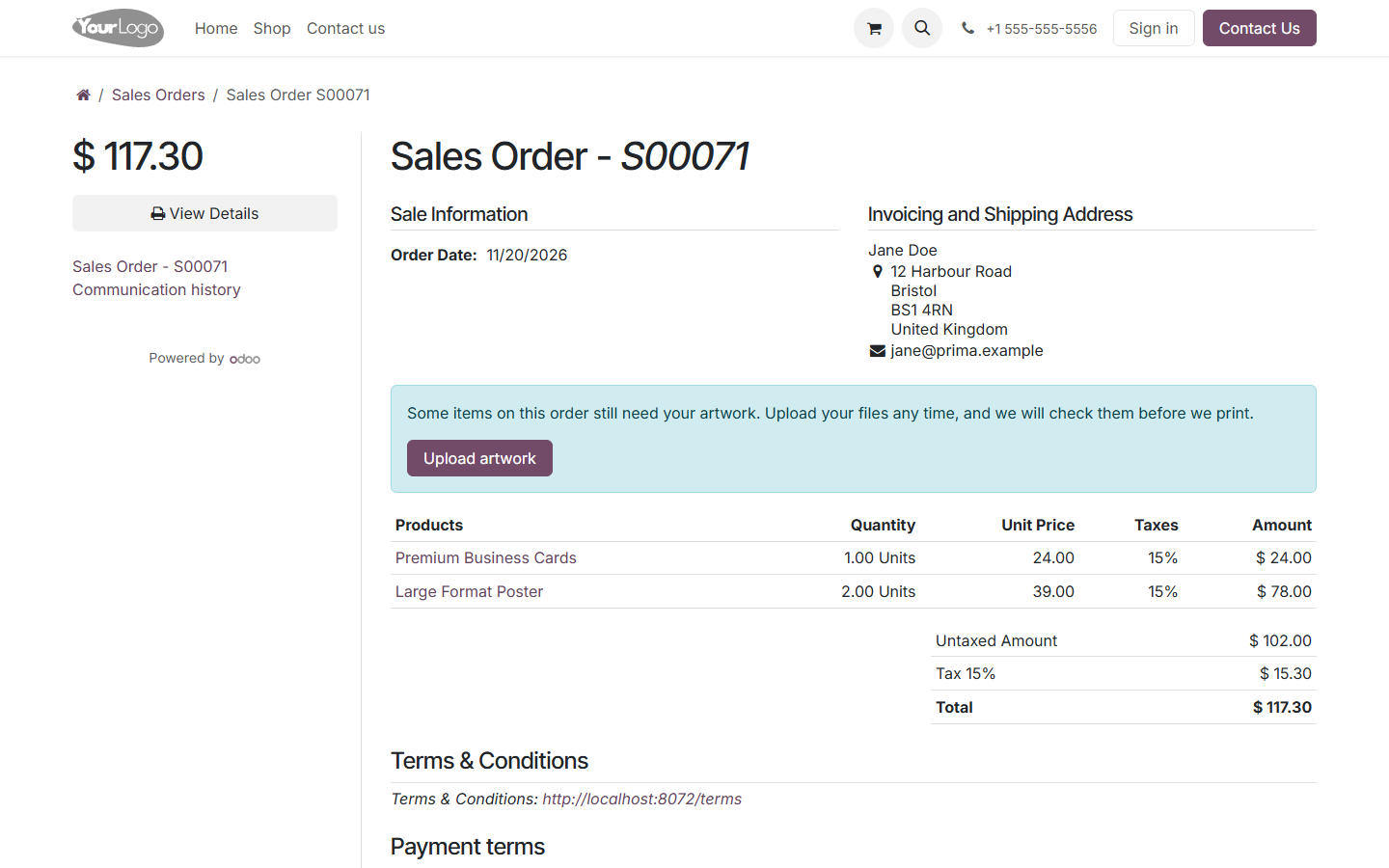
- Artwork after checkout. Products can collect their artwork after the order instead. The customer gets an upload link on the confirmation page, in their portal and in one email.
- Orders never get stuck. If the check can’t run, the customer can still order, and gets the upload link to send their file afterwards. No line ships without a file.
- Works with Print.App. Lines designed in the Print.App editor ride along on the same order, so Filecheck lists the whole order in one place.
Setup takes three steps
- Install the module from the Odoo Apps Store (Odoo 18, Odoo 17) or GitHub.
- Paste your keys from the Filecheck dashboard into Website Settings, test the connection and pick a default workflow.
- Open a product, and switch Filecheck on from its Filecheck tab.
The full walkthrough is in the Odoo installation guide, and developers will find the details in the Odoo integration reference.
Like the Print.App module, it works on self-hosted Odoo and on Odoo.sh. Odoo Online, the hosted edition at odoo.com, does not allow third party modules of any kind.
Open source
The module is open source under LGPL-3, and the code is on GitHub. Questions, or a store you want help setting up? Find us on Discord or get in touch.


