
Here’s a roundup of what we’ve shipped recently and what’s new in the editor..
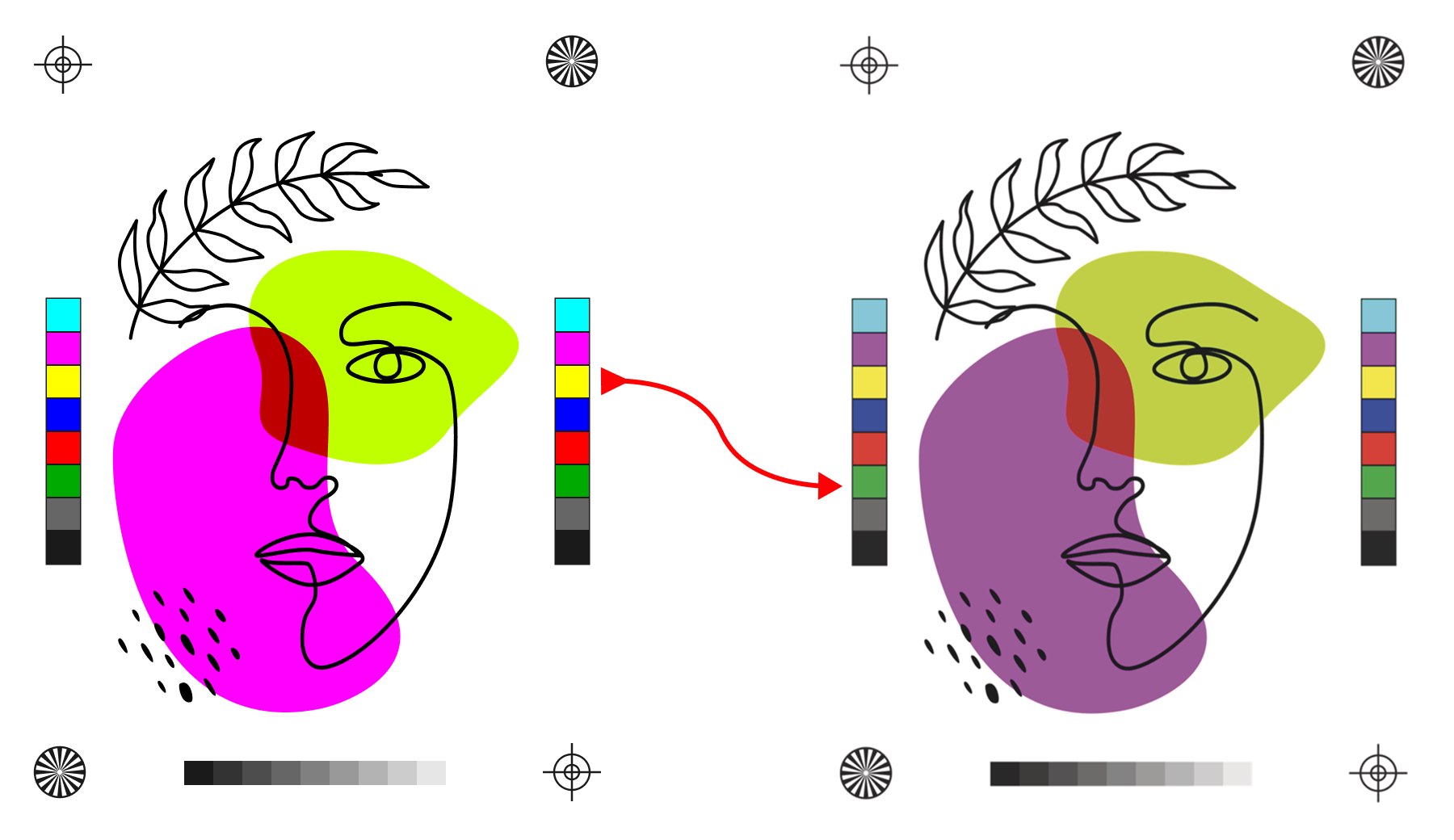
This one’s been a long time coming. You can now enable Soft Color Proofing in the editor, letting your customers preview exactly how their design colors will appear in print before they place an order.
If you’ve used soft proofing in Photoshop, it works the same way, i.e assign a CMYK ICC profile to your design and the editor simulates how colors will render on your specific printing process. Your customers see it live in Preview mode, which means fewer surprises, and fewer returns.
You can enable it per design by turning the switch ON under Preview Proofing in a Design Tab, or switch it ON globally for your entire store in your Admin Settings Page.
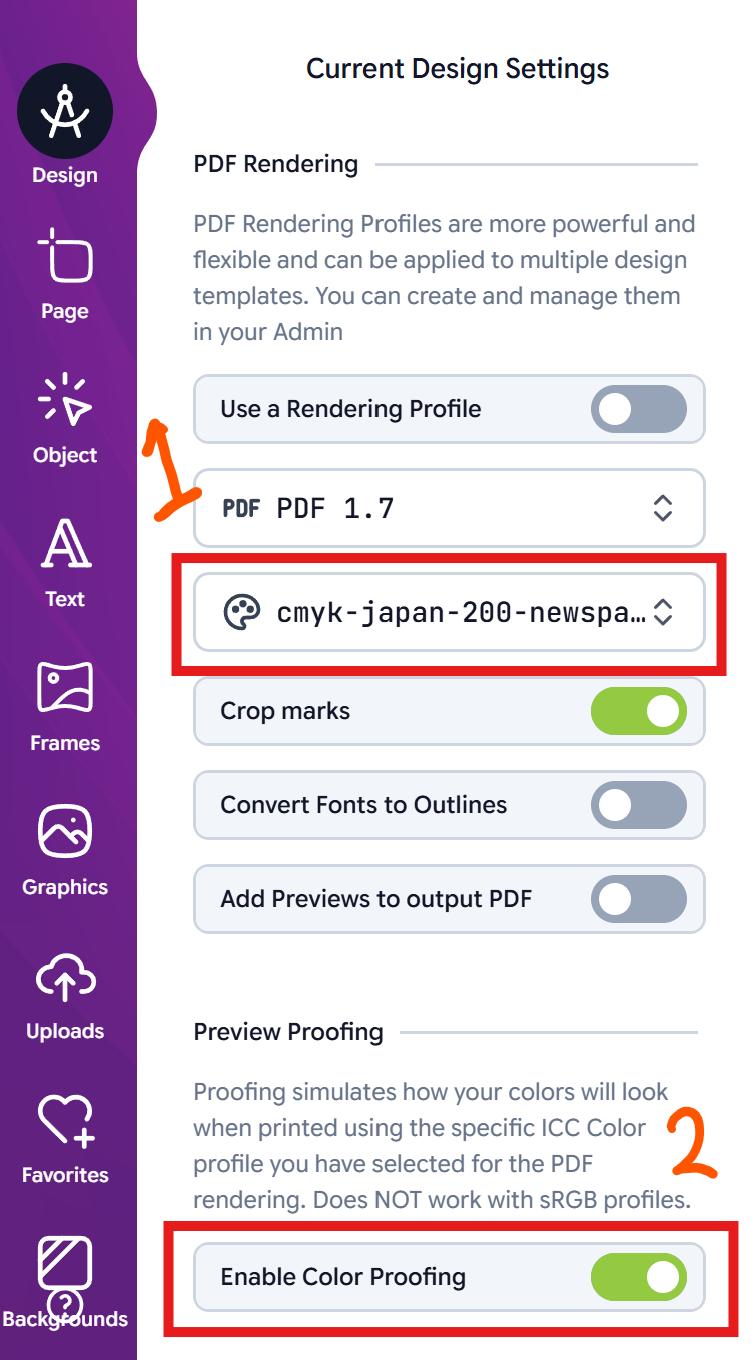
You need to have a CMYK based ICC profile assigned to the design for it to take effect. And as with most things in Print.App, you can do this in two ways, first in the same Design tab or by assigning a PDF Output Profiles.
A Profile also passes along a Rendering Intent for the proof simulation.
We’ve added a dedicated Pattern builder Module to the editor, built specifically for Greaseproof Paper, Gift Wrapping Paper, Branded Tissue Paper, and any product that needs a repeating logo pattern.
Your customers upload a single logo, pick from preset pattern layouts and instantly get a perfectly spaced, repeating pattern on the canvas. They can finetune the spacing, rotation, and scale to get it just right. We tried to limit the number of controls to make it super easy to use and not overwhelm users.
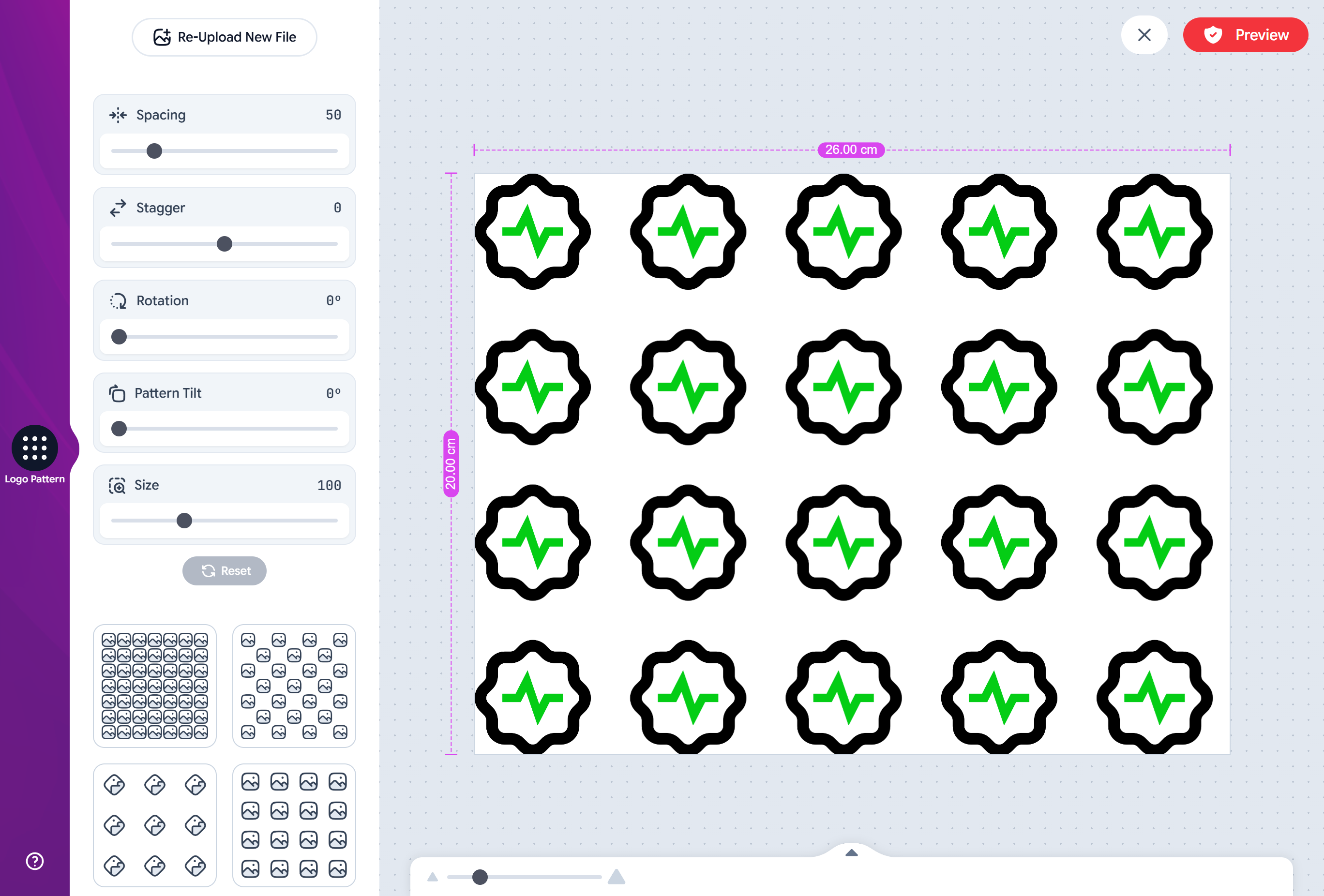
The module also packs in some smart automation:
Automatic Background Removal: uploaded logos can be cleaned up automatically, removing any unwanted white or messy backgrounds.
DPI Quality Control: You can define a minimum DPI value such that, if a customer stretches a low-res image too far, the system warns them in real-time to upload a higher-quality file or reduce the size. Images lower than 250px are rejected.
Single Color Tinting: support for single-color logos, so customers can tint their pattern to match a brand palette sourced from your store’s color library. You can assign specific color pallete to each design.
No more manually tiling logos in Illustrator. Your customers do the work, and you process 10x more orders.
Try a live demo here or read the setup guide.
TShirt Quick-Starter Template: When you click Create a New Design button from your Admin, and select a TShirt template from the dialog, you will start off with a TShirt underlay already positioned up for you, reducing your workload.
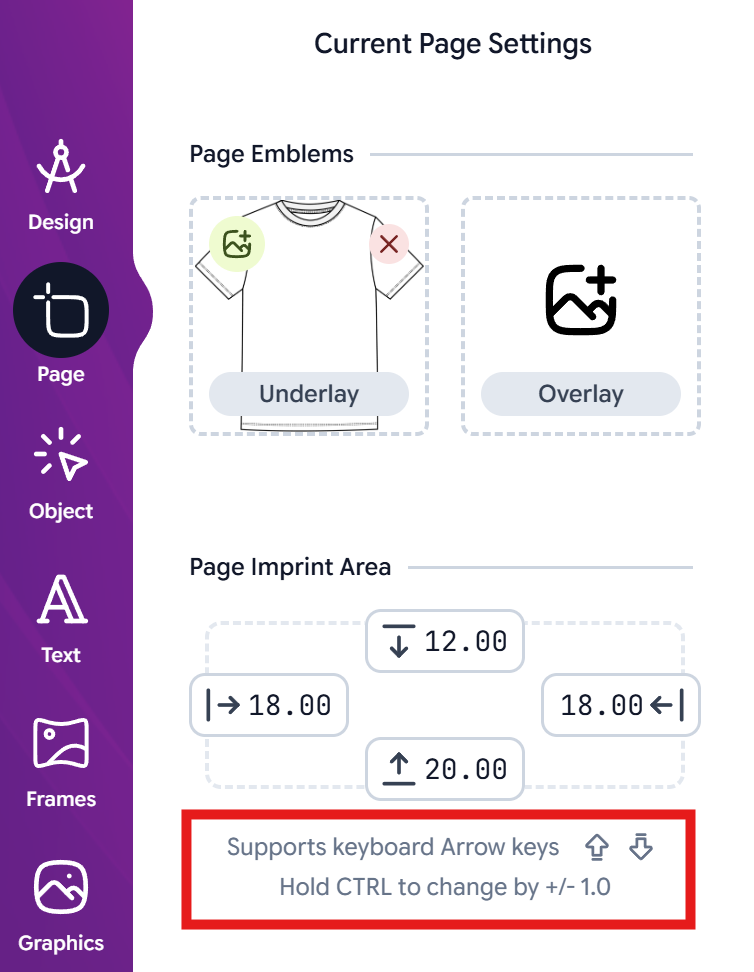
Also, the Imprint areas can now be adjusted using arrow keys, holding Control key for larger values.
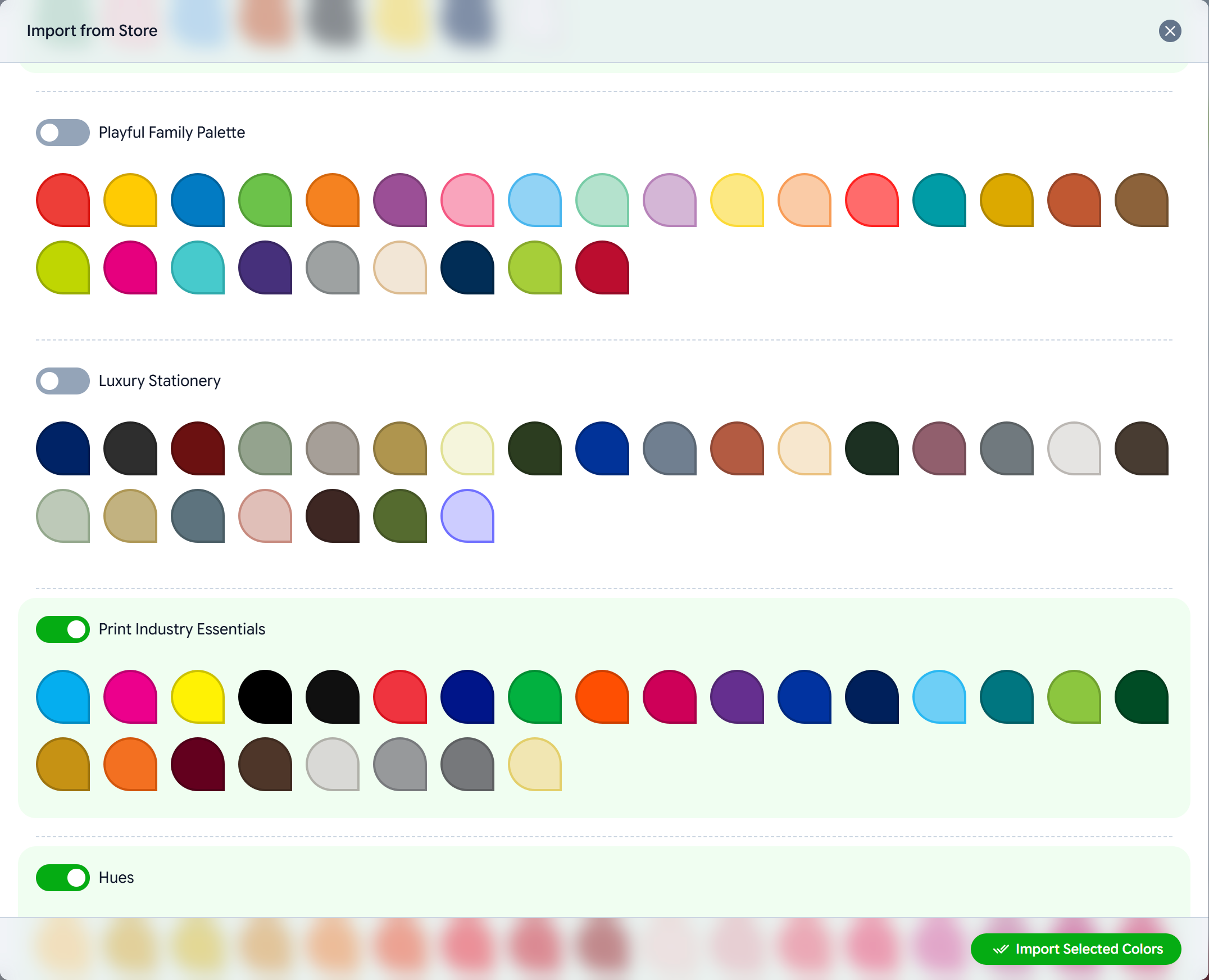
Import Colors: We have currated a collection of colors, similar to Typography, that you can import into your store from the Admin Colors page
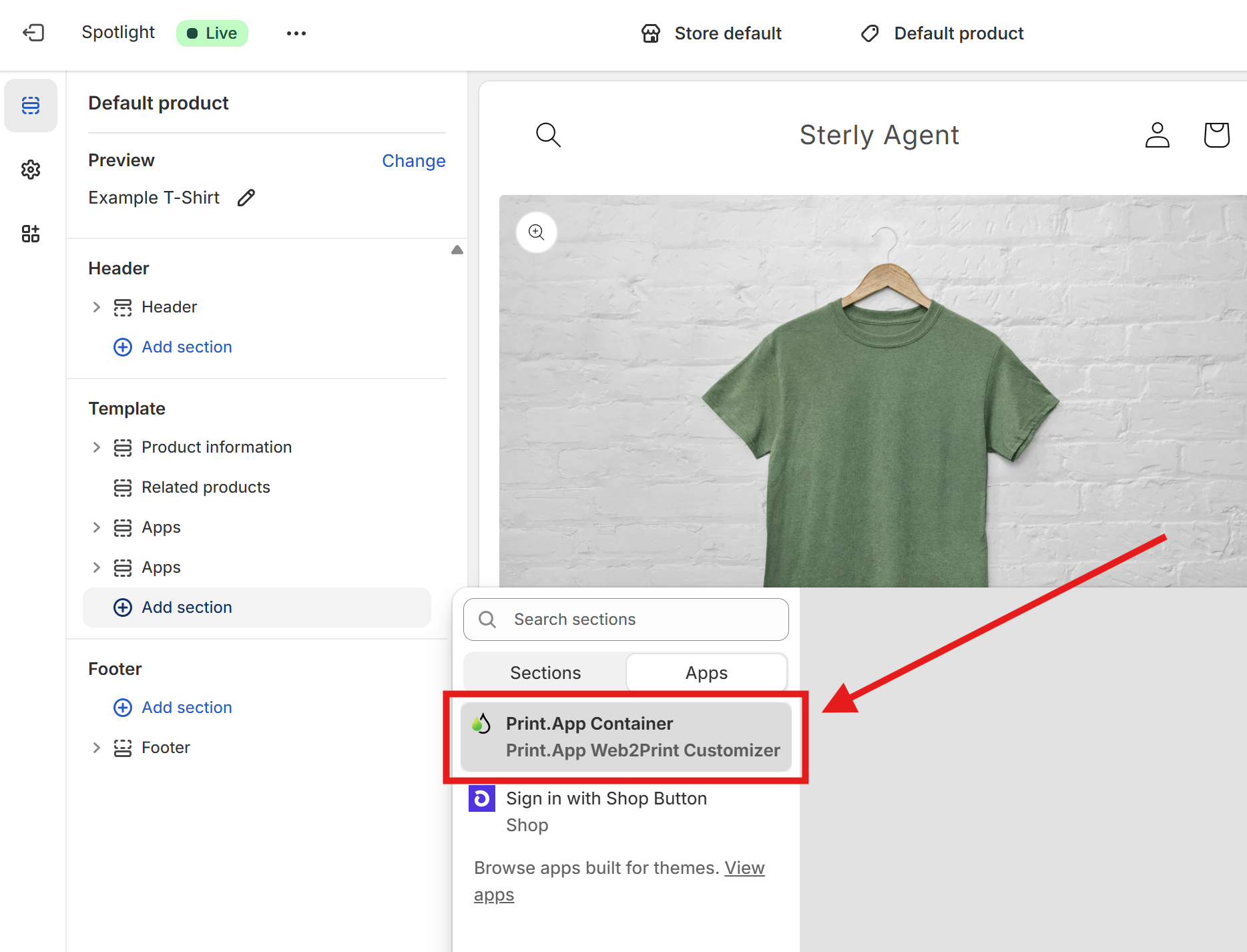
Shopify Theme Button: We released a Shopify update that allows you to create a Print.App button and position it within your theme like most modules these days. This is a fallback feature should your theme not work with Print.App
Walkthrough Videos: We are working to build a collection of short, targetted walkthrough videos to assist our customers onboard and learn Print.App faster. Do visit our YouTube Channel and subscribe to be notified as we add more videos
We have just completed building our Zapier integration and are in Public Invite.
Use this link to Access and integrate it:
https://zapier.com/developer/public-invite/237930/5f7ad65d5648347c08609fcf2bd9f0b7/
Have an awesome week ahead, and see you on our Discord Channels😉


