
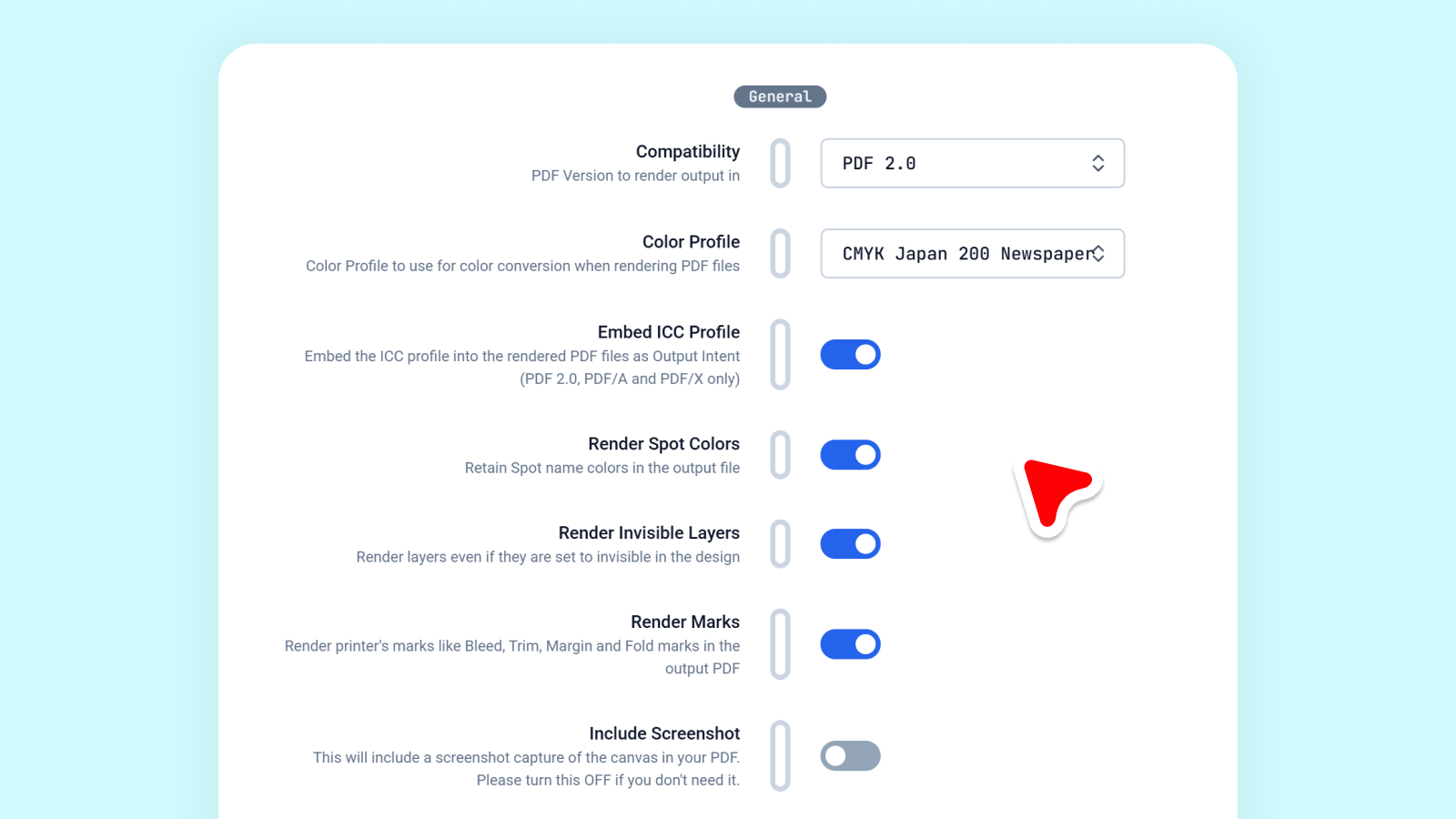
One of the hardest problems in print software is NOT creating PDFs, it’s creating the right PDF, consistently, every single time!
Printers don’t just want “a PDF”. They want a PDF that matches their workflow, their presses, their color expectations, their RIPs, and their file size constraints. A file that previews beautifully on screen but fails at prepress is worse than useless. It costs time, money, and trust.
Today, we’re excited to introduce PDF Output Profiles in Print.App. It’s a new feature that gives our users (print businesses globally), full control over how their PDFs are generated, optimized, and color-managed without adding complexity for them or requiring additional steps to prepare such files for print.
This release represents a significant engineering milestone for our platform. It brings together advanced color processing, image optimization, and deterministic PDF generation into a single, reusable profile system that scales across design templates, stores, and workflows.
In most web-to-print systems, PDF generation is treated as a one-size-fits-all process. The result is predictable:
PDF Output Profiles solve this by making output intent explicit.
Instead of relying on implicit defaults, every PDF generated in Print.App can now be governed by a predefined profile that answers critical questions up front:
This shifts PDF generation from a “best guess” to a deterministic, repeatable process.
At a high level, a PDF Output Profile is a structured configuration that defines how Print.App renders and exports PDFs. Profiles can be reused across design templates, ensuring consistency at scale.
Each profile encapsulates decisions such as:
This approach allows you to partition profiles based on product types or design intent and have that reflected across a slew of designs instead of setting configurations on a per-design basis.
One of the most technically demanding aspects of this feature is image color conversion.
Converting images correctly is far more complex than flipping a switch from RGB to CMYK. It involves reading the original image file at render time and based on several factors, deciding what format to convert to that supports the requested output profile.
For example, the PNG format does not support CMYK at all, but JPEG which does support a four channel CMYK, does not support alpha transparency. So we opted to go TIFF which supports both for alpha-based files, increasing the channels to five. TIFF does not respect DPI metadata when embedded in PDFs, which means we needed to re-size the image to meet the intended PPI output. All these happens on the fly when the PDF is demanded, and using AWS Lambda, we can spin up hundreds of tiny compute workers to crunch files simultaneously and independently without affecting the next tenant.
We use Sharp, a high-performance image processing library built on libvips to handle all the image processes.
Color correctness is only half the story. File size and performance matter just as much, especially when dealing with large projects, multi-page documents, or high-volume automation.
That’s why we also included an image downscaling option based on target PPI (pixels per inch).
Many systems embed images at their original resolution, even when that resolution far exceeds what’s needed for print. The result:
In reality, most print workflows have well-defined resolution targets, often 300 PPI for standard print, or lower for large format. Images can now be:
This ensures that PDFs are as light as possible, without sacrificing output quality.
Please take note, we do NOT upscale images yet. We plan to add that to the pipeline later in the future. We currently only downscale images to a base target PPI. This means that, the original image should at least be up to the PPI level.
Once images are processed and normalized, Print.App assembles the final document using PDFLib, a proven, production-grade PDF generation engine.
PDFLib gives us precise control over:
By pairing Sharp (for image processing) with PDFLib (for document assembly), we’ve built a pipeline where every stage is precise:
This separation of concerns allows us to evolve each layer independently while maintaining absolute control over the final output.
Our PDF Output Profiles were not designed in isolation. They’re the result of years of feedback from print companies using Print.App and PitchPrint in production.
We’ve seen firsthand how small inconsistencies, slightly wrong color spaces, oversized images, missing fonts all compound into major operational pain.
This feature addresses those issues at their root, by making output behavior explicit, configurable, and repeatable.
They unlock future capabilities such as:
Most importantly, they reinforce our core mission:
To give every print businesses enterprise grade tools with less complexity.
PDF Output Profiles are now available in Print.App. Read more here
We’re excited to see how you use it, and we’re just getting started 😉


