
Every new product in your store needs templates. A business card needs a few looks, a banner needs to read from across a hall, a round sticker needs everything to fit a circle and nothing near the cut. Each one takes hours in the editor, and that is before you know whether customers like it.
Today we’re launching Template Studio: tell it what you need, and it designs print-ready templates for your store. Alongside it, the Print.App library has grown a lot, and you can now search it right from the editor.

Template Studio is not an image generator. An image generator gives you a picture. Template Studio builds a real Print.App design, page by page, in the same editor your customers use:
It covers 13 products out of the box: business cards, cards and invitations, gift tags, menus, funeral programs, apparel prints, mug and tumbler wraps, labels and stickers, ornaments, gift wrap, banners and posters, signs and flags.
You’ll find it under Designs → Create New Design → Template Studio, or open it straight away.
1. Write a brief. Describe it in your own words, paste a product page link, or pick a product and size. “A round sticker for a kid’s sixth birthday party, bright and fun.” Ask for one variation, or up to three different directions.
2. Compare the drafts. Each direction is drafted in about a minute: its own layout, palette, fonts and artwork.
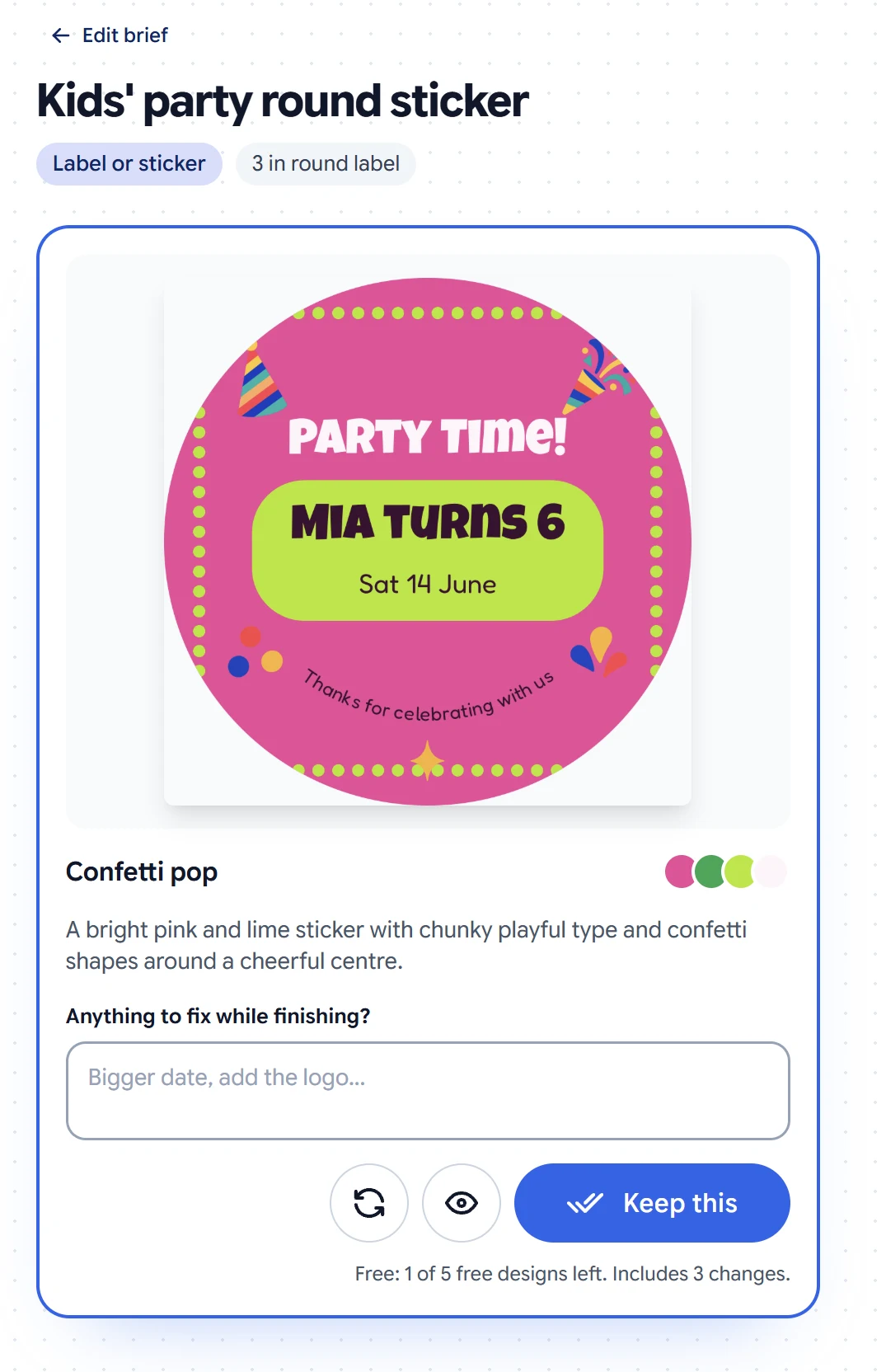
3. Fix it in a sentence. Not quite right? Type what to change and try again. Template Studio redraws that draft with your change and keeps the rest. Here, one note turned the dotted border into a circle that follows the sticker’s cut:
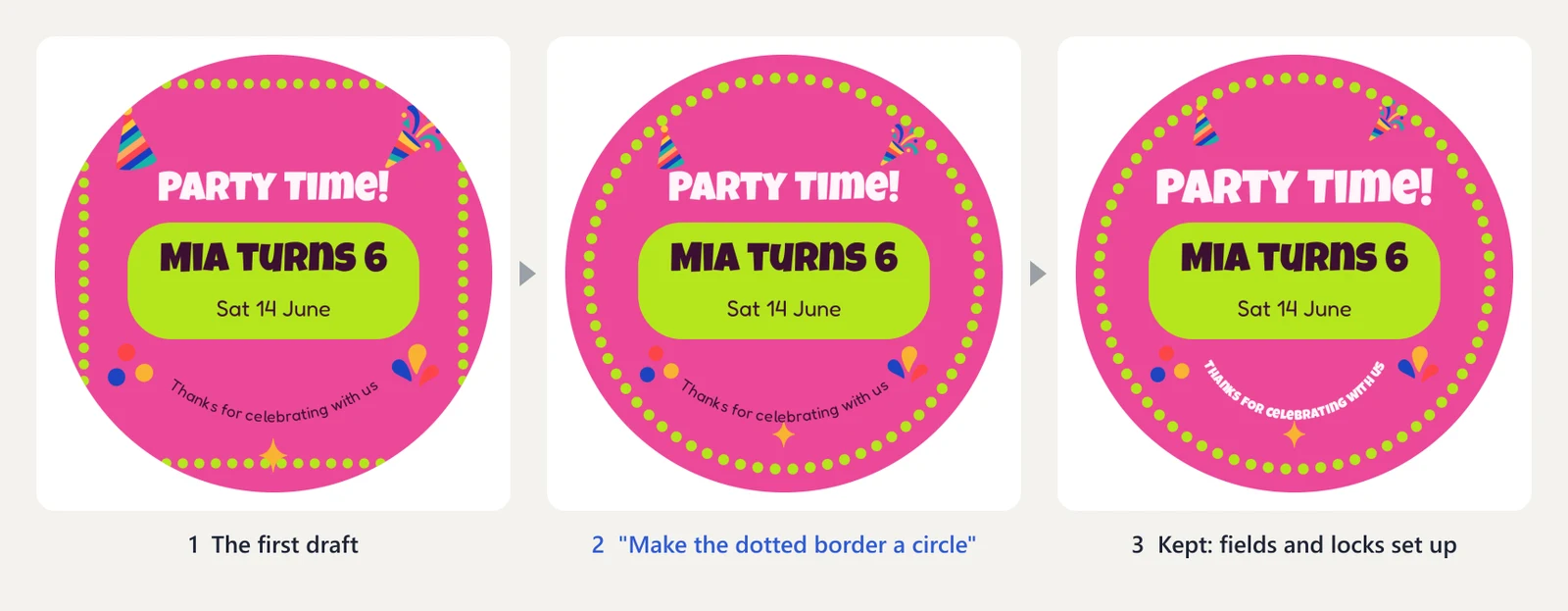
4. Keep the ones you like. A finishing pass sets up every customer field and lock, tidies the layout, and saves it into your Designs, ready to assign to a product. Each kept design includes three changes you can ask for later, and you can always open it in the editor yourself.
Ask for a font it doesn’t have, or a finish like gold foil, and Template Studio doesn’t quietly ignore you. A Good to know note says what it did instead: “Gold foil is not available as a print finish, so the logo is printed in gold ink.”
QR codes are real and scannable, and one can follow the website your customer types, so the printed link and the code always match. Text on a round product curves along it. Every draft is checked as it’s built (text size and contrast, alignment, the safe area, overlapping text) and gets a final review before you see it.
Your first 5 kept designs are free. After that it’s $0.25 per design you keep, with three changes included. Drafts and redraws are always free, so try as many directions as you like. It’s billed with your normal Print.App usage. See the details.
Template Studio builds with the Print.App graphics library, and so do you and your customers. It just got a lot bigger: 160 collections, and these are new this week.
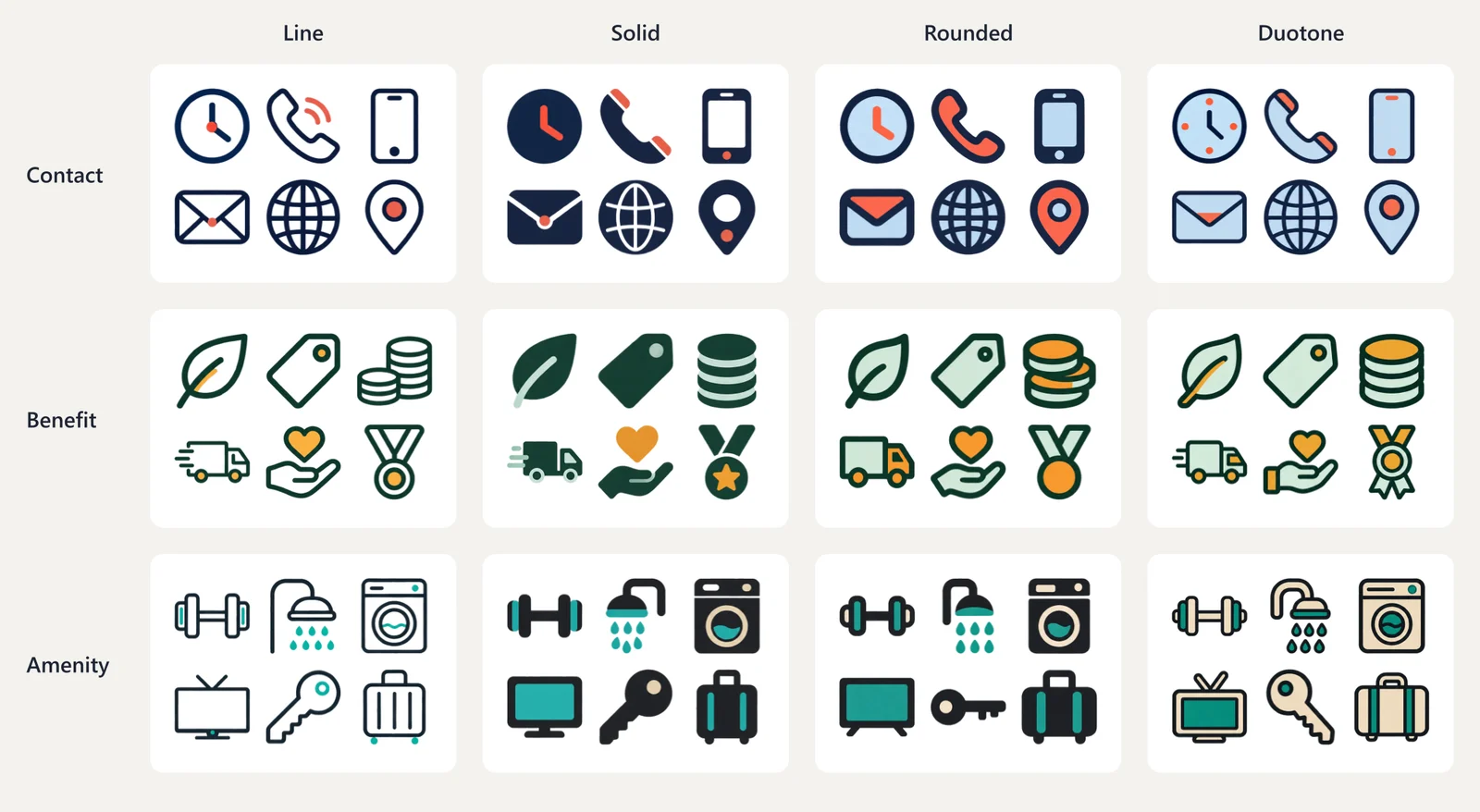
Contact icons (phone, email, web, location), benefit icons and amenity icons, each in line, solid, rounded and duotone. Mix them into business cards, flyers, signage and menus, and they stay consistent.
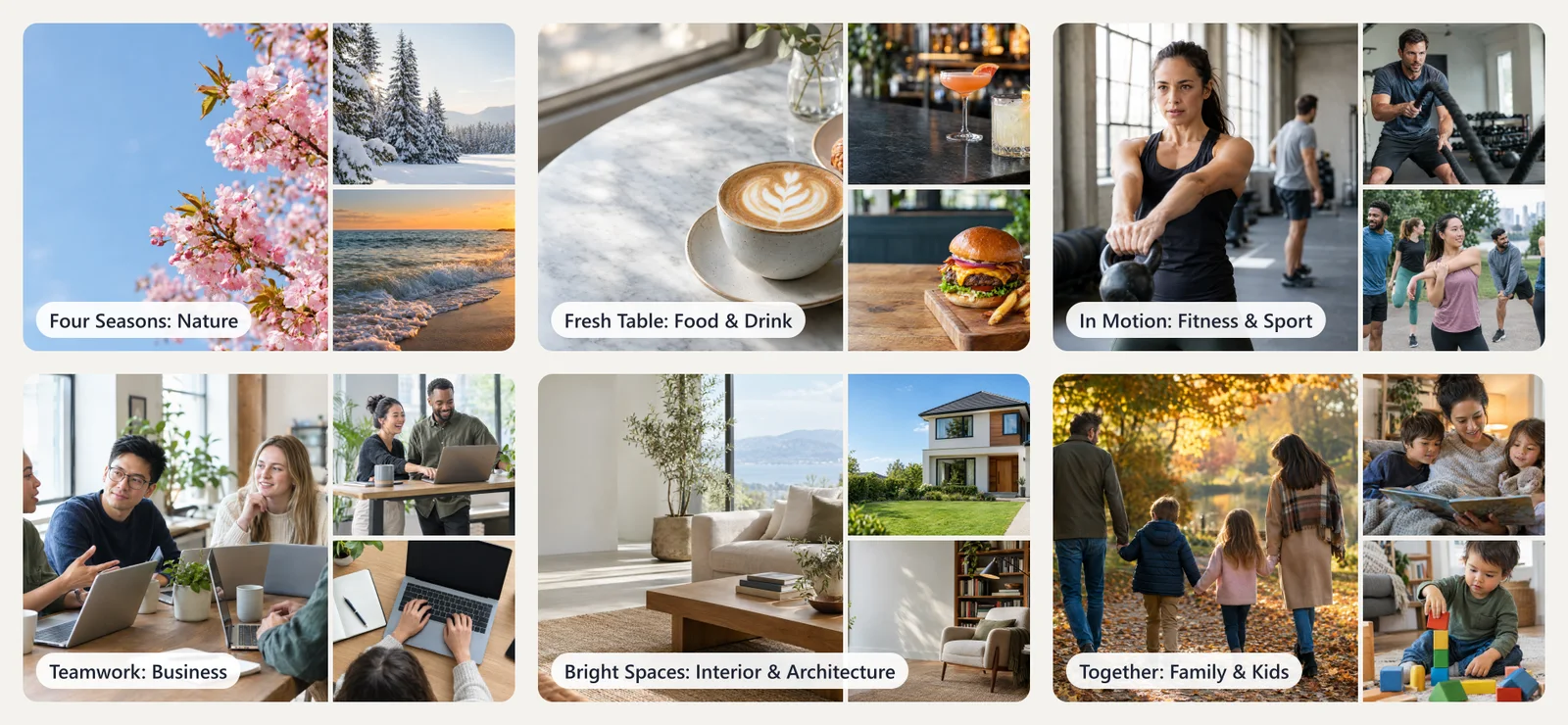
Real-looking photography for the products that need it: business teams, food and drink, interiors and architecture, families and kids, fitness, and nature through the seasons. 94 photos in all.
Twelve illustrated month scenes in one style, from winter birds and spring lambs to autumn hedgehogs and a snowy village. They’re made for calendars, and they work for anything seasonal.
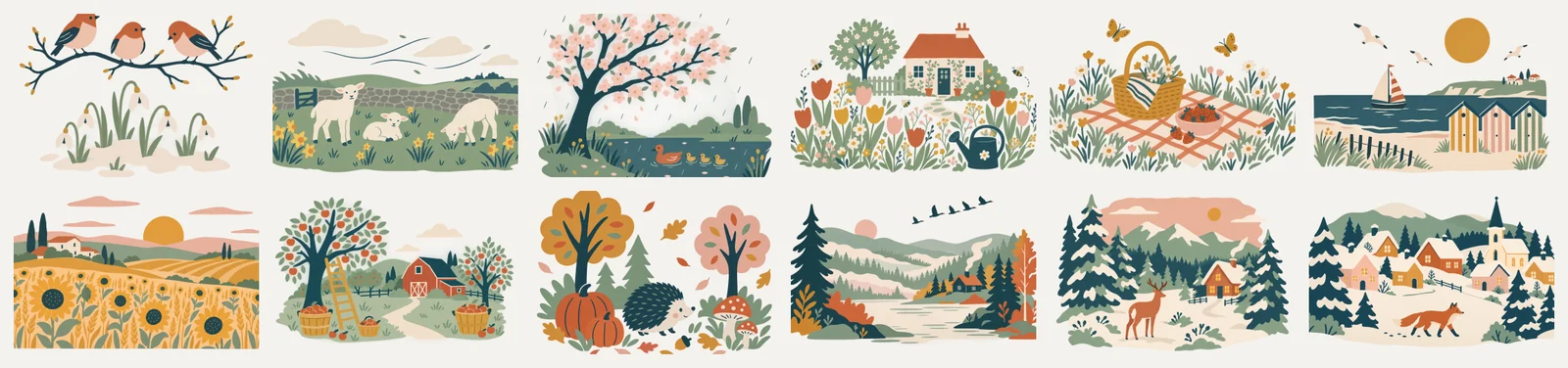
Browsing the library now feels like a store: categories and shelves, full screen, so you can find a collection and bring it into your folders quickly.
The Graphics panel has a search box. You always have it while you design. Turn it on for your customers too, for your whole store or for a single design, and choose what it covers: the Print.App library, your own graphics, or both. New graphics you add are indexed automatically.
Customers can now upload photos straight from their iPhone. HEIC photos are converted as they upload (to JPEG, or to PNG when the photo has transparency) with their orientation and color kept. WebP images are accepted too.
Open Designs, click Create New Design and choose Template Studio. Your first five designs are on us.


