> ## Documentation Index
> Fetch the complete documentation index at: https://print.app/docs/llms.txt
> Use this file to discover all available pages before exploring further.
# Import Pantone & HKS Colors
> How to import Pantone and HKS spot colors into your Print.App Domain
Print.App lets you import industry-standard **Pantone** and **HKS** spot colors directly into your color collections for use in the editor.
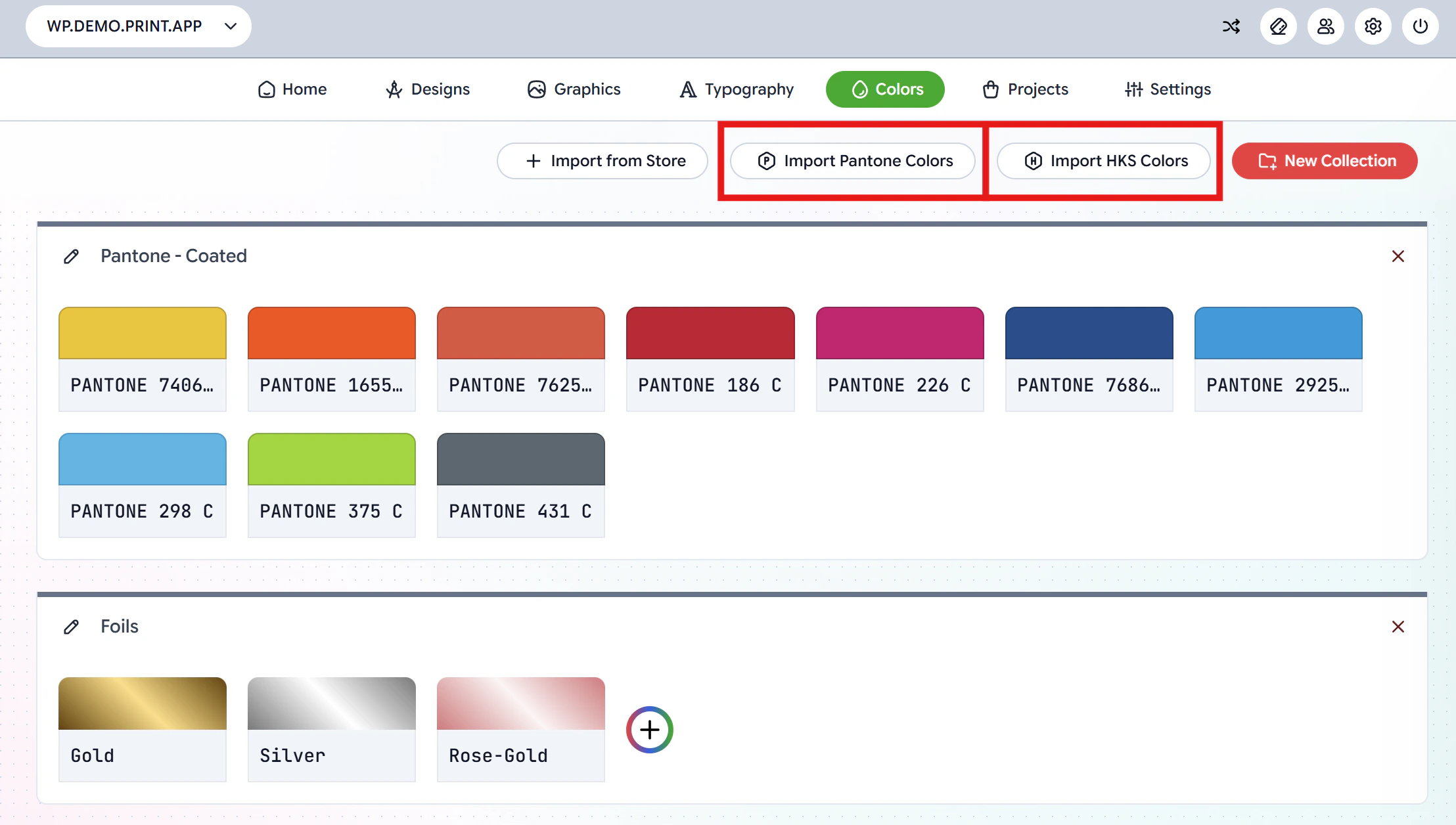
To get started, navigate to the [Colors Page](https://admin.print.app/colors) in your Print.App Admin. You will see the **Import Pantone Colors** and **Import HKS Colors** buttons at the top of the page.
 ## Import Pantone Colors
Click the **Import Pantone Colors** button to open the import dialog.
## Import Pantone Colors
Click the **Import Pantone Colors** button to open the import dialog.
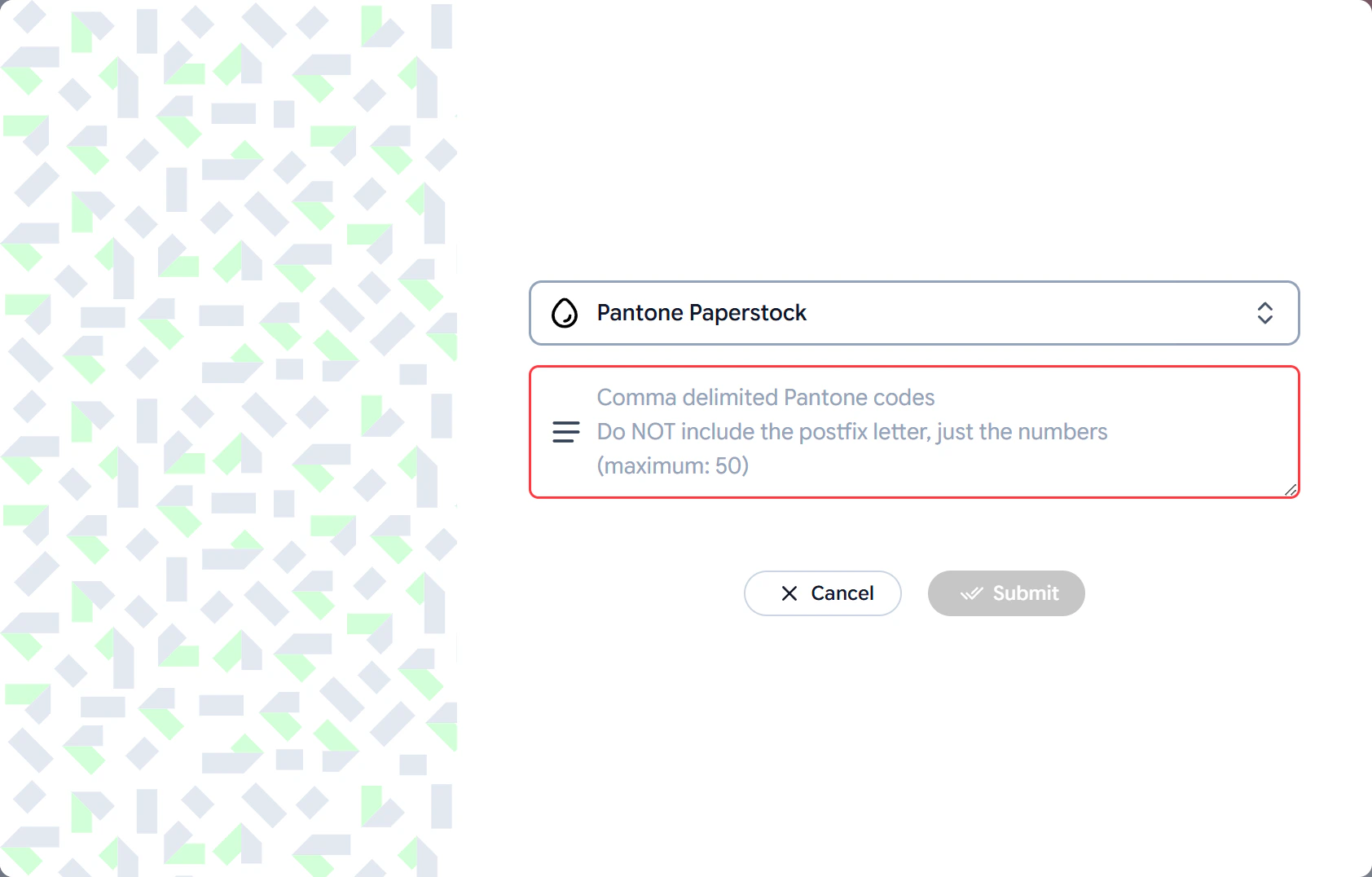 1. Select a **Pantone paper stock** from the dropdown (e.g. Paperstock, Coated, Uncoated etc.)
2. Enter your Pantone color codes in the text field as **comma-delimited values**. For example: `186, 226, 298, 375, 431`
Do NOT include the postfix letter (C, U etc.), just the numbers.
You can import a maximum of **50** colors at a time.
3. Click **Submit** to import the colors into your collection.
## Import HKS Colors
Click the **Import HKS Colors** button to open the import dialog.
1. Select a **Pantone paper stock** from the dropdown (e.g. Paperstock, Coated, Uncoated etc.)
2. Enter your Pantone color codes in the text field as **comma-delimited values**. For example: `186, 226, 298, 375, 431`
Do NOT include the postfix letter (C, U etc.), just the numbers.
You can import a maximum of **50** colors at a time.
3. Click **Submit** to import the colors into your collection.
## Import HKS Colors
Click the **Import HKS Colors** button to open the import dialog.
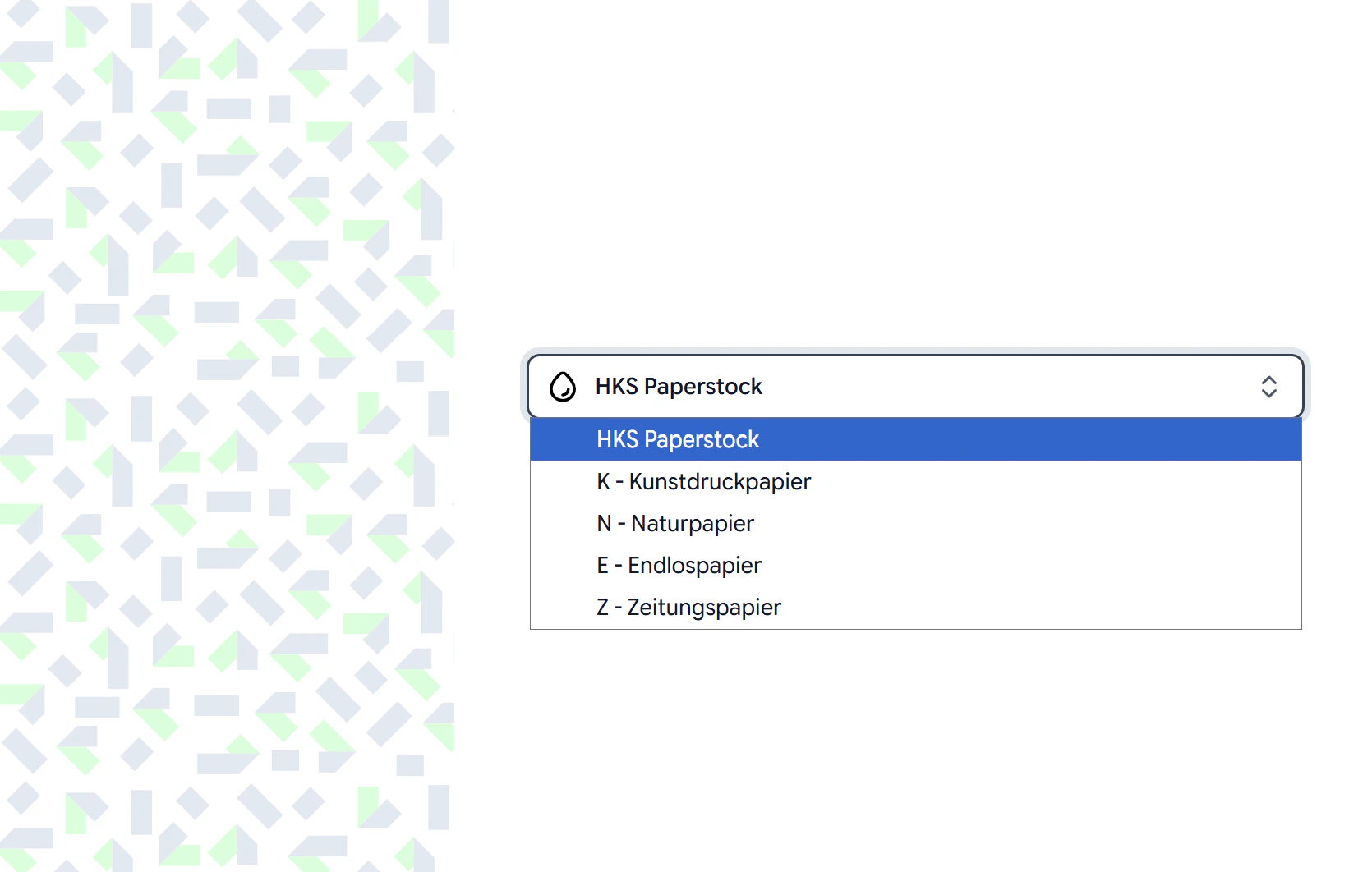 Select a **paper stock** from the dropdown. The available HKS paper stocks are:
| Paper Stock | Description |
| -------------------- | ------------------------ |
| HKS Paperstock | Standard HKS paper stock |
| K - Kunstdruckpapier | Coated art paper |
| N - Naturpapier | Natural / uncoated paper |
| E - Endlospapier | Continuous paper |
| Z - Zeitungspapier | Newsprint paper |
Once you select a paper stock, click the Submit button and the full set of HKS colors for that stock will be imported into a new color collection.
After importing, your Pantone and HKS colors will appear as a color collection on the Colors page. You can then assign them to specific Design Templates using a Resource Profile.
[Read more about assigning resources here](/guides/designs/assign-resources)
Select a **paper stock** from the dropdown. The available HKS paper stocks are:
| Paper Stock | Description |
| -------------------- | ------------------------ |
| HKS Paperstock | Standard HKS paper stock |
| K - Kunstdruckpapier | Coated art paper |
| N - Naturpapier | Natural / uncoated paper |
| E - Endlospapier | Continuous paper |
| Z - Zeitungspapier | Newsprint paper |
Once you select a paper stock, click the Submit button and the full set of HKS colors for that stock will be imported into a new color collection.
After importing, your Pantone and HKS colors will appear as a color collection on the Colors page. You can then assign them to specific Design Templates using a Resource Profile.
[Read more about assigning resources here](/guides/designs/assign-resources)