> ## Documentation Index
> Fetch the complete documentation index at: https://print.app/docs/llms.txt
> Use this file to discover all available pages before exploring further.
# Canvas Size
> How to create and manage a design variation with different canvas sizes
A Design variation is a single design with additional variations. We can create Design Variants based on multiple canvas sizes
This is essential for products like Banners so customers can select from different sizes or even create their own unique dimension
### Create a Canvas Size Variation
* To get started, load a Design or open one for edit from your [Admin Designs page](https://admin.print.app/designs)
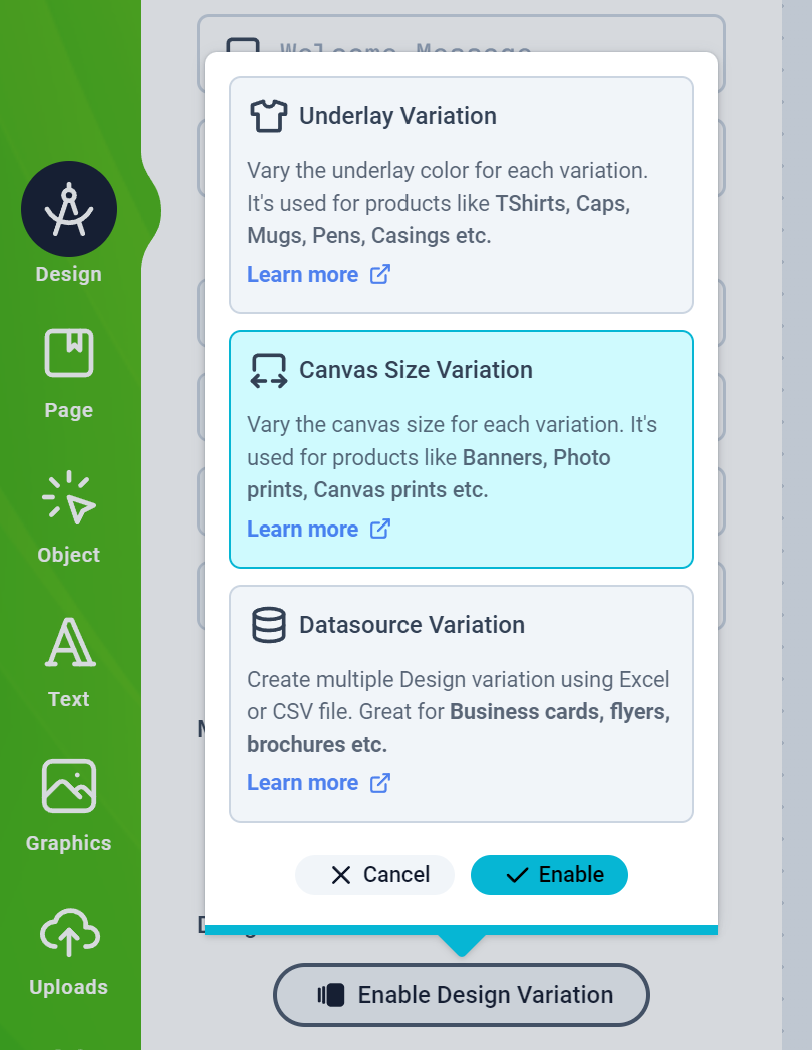
* Click the Design tab on the left panel and then click the Enable Design Variation button to select the Canvas Size Variation and Enable it
 * A form should appear where you can provide the variation details and add your size variants:
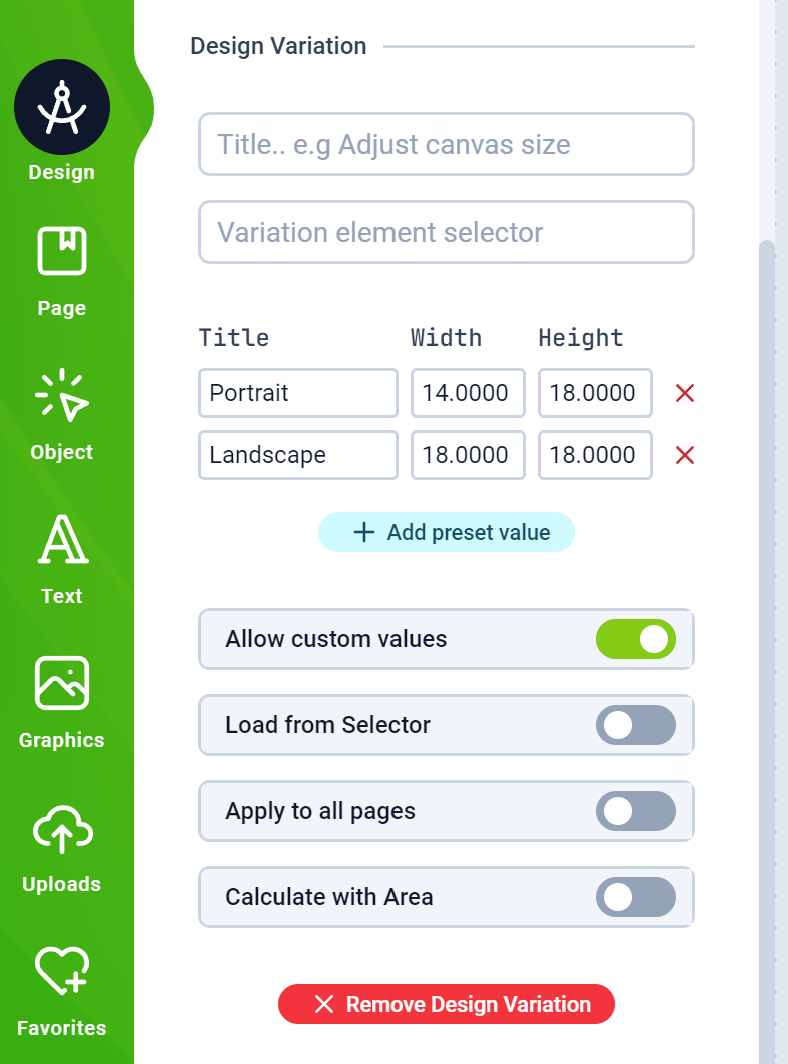 * `Allow Custom Values`: Enabling this allows customers to create their own unique size dimension
* `Load from selector`: This allows the Editor to load values from your product page.
* `Apply to all pages`: This will apply the dimension to all pages and not just the current one
* `Calculate with area` Enabling this option propagates the `width x height` area as a single value to your product page price calculator
* The Variation element selector is used to instruct the editor which element in your product page has the sizes and is only displayed if you have enabled the `load from selector` option.
* Save your Design and assign it to a product and test as a customer on your web store.
* `Allow Custom Values`: Enabling this allows customers to create their own unique size dimension
* `Load from selector`: This allows the Editor to load values from your product page.
* `Apply to all pages`: This will apply the dimension to all pages and not just the current one
* `Calculate with area` Enabling this option propagates the `width x height` area as a single value to your product page price calculator
* The Variation element selector is used to instruct the editor which element in your product page has the sizes and is only displayed if you have enabled the `load from selector` option.
* Save your Design and assign it to a product and test as a customer on your web store.