> ## Documentation Index
> Fetch the complete documentation index at: https://print.app/docs/llms.txt
> Use this file to discover all available pages before exploring further.
# Calendar
> How to create a Calendar Design using our built-in module
The Calendar module is used to generate and style Calendar months automatically.
You can generate all Months of the year and place them on a page as desired to create any calendar design of your taste.
* To get started, load a Design or open one for edit from your [Admin Designs page](https://admin.print.app/designs)
* Next, we need to enable the Calendar Module so we can configure the year and some other styling.
Click the Design tab on the left panel and then click the `Add Module` button and click Calendar from the list.
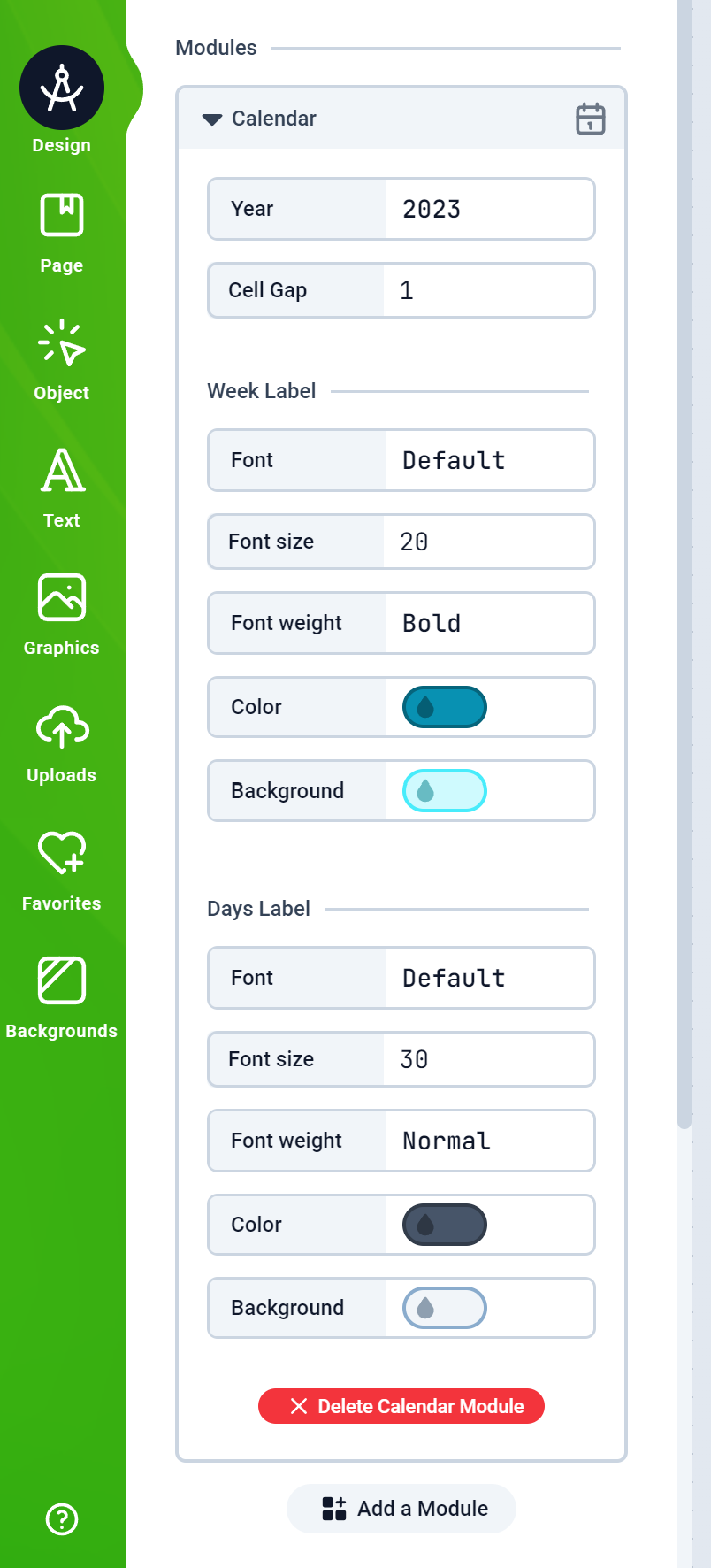
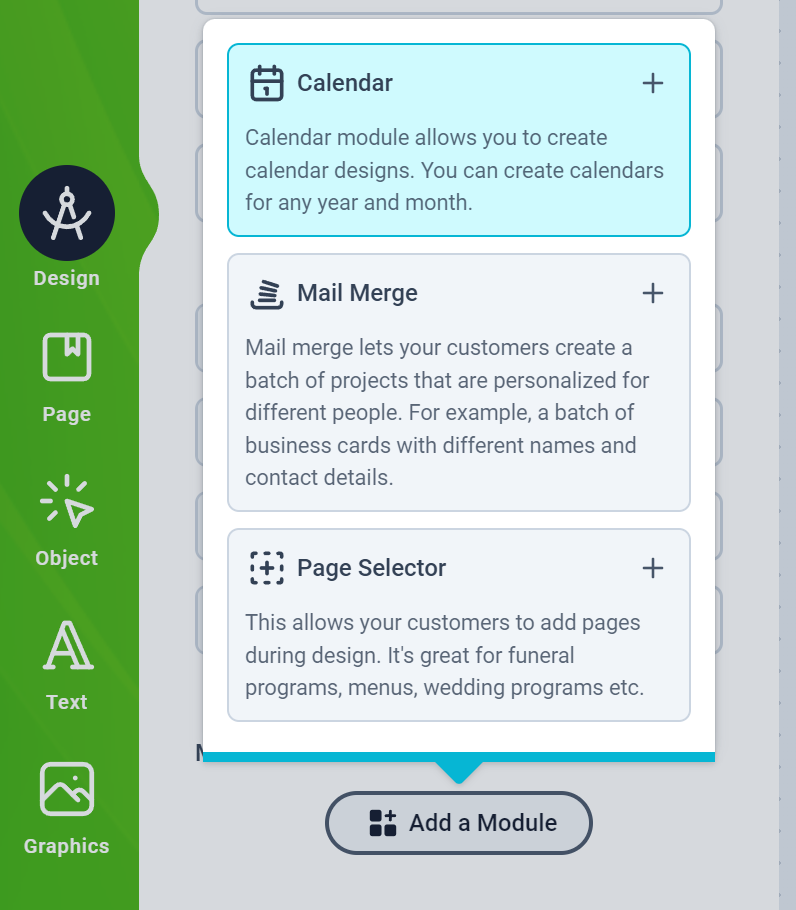 * You should see the Calendar configuration form as shown below:
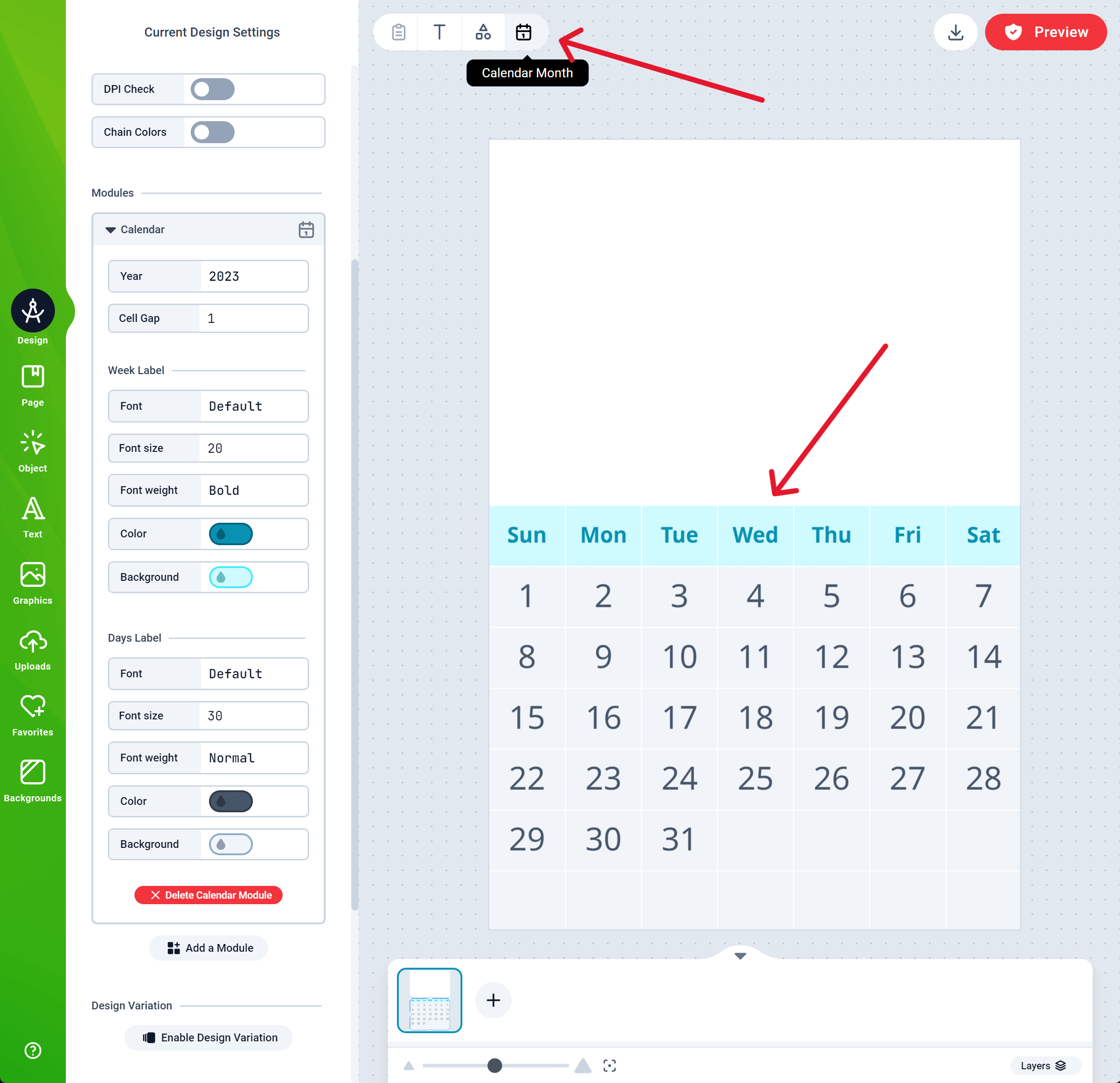
 * Once you've added a Calendar module, the Button to add a Calendar Month appears on the Top Menubar as shown in the picture below. Anytime you need to create a Month, click that button and a Month will be added to your Canvas as shown.
 * You can customize the Year, Cell Gap, Week and Day Labels in the configuration panel on the left.
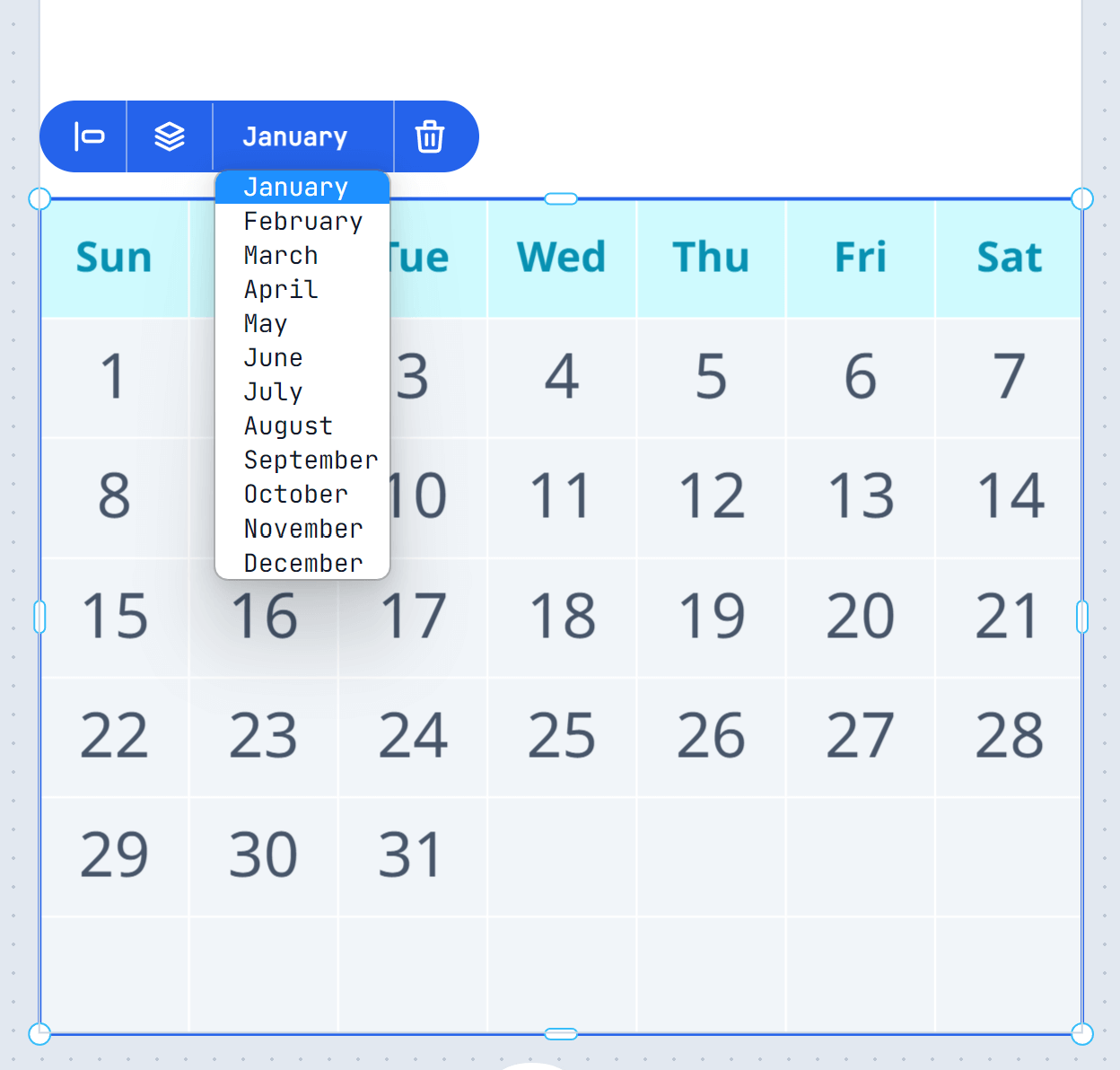
* To change the Month, simply select the Calendar Month and change the date in the Context menu as shown below
* You can customize the Year, Cell Gap, Week and Day Labels in the configuration panel on the left.
* To change the Month, simply select the Calendar Month and change the date in the Context menu as shown below